The Homepage Was a 404 and Every Light Said Green
/We moved the whole network onto Cloudflare's edge, split the backend off behind a worker, and bolted an AI layer onto it that costs nothing. Then the homepage 404'd for six hours because of one word in a config. The build log, the wrong turns, and how to do it yourself.
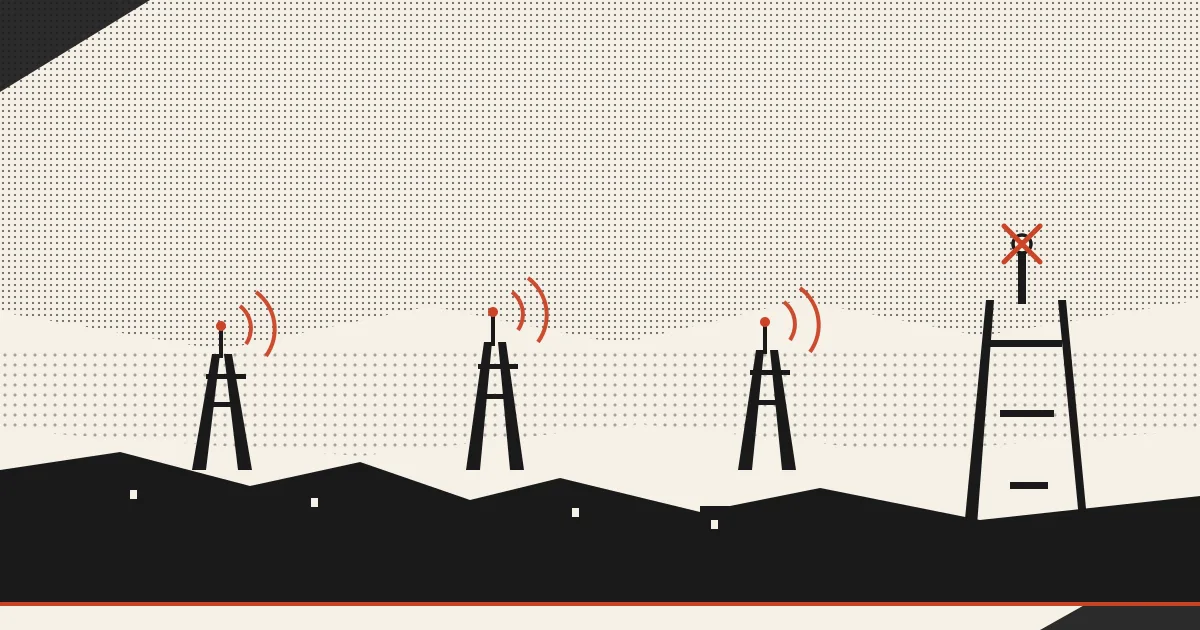
TL;DR: Moved the whole site onto the edge, locked the backend behind a worker, added an AI layer that costs nothing, and 404’d my own homepage for six hours because the production branch said one word and every deploy said another.
Every dashboard was green. Deploy succeeded. Build wrote 772 files. SSL valid, DNS resolving, worker running, nothing red anywhere on any panel I could find, and the homepage of the site I have spent a year building returned a 404 to anybody who typed the address.
Not down. A server that is down at least tells you it is down. This was a polite little 404, cached at the edge and served fast and correct, all over the world, for six hours.
The whole thing came down to one word in a config file.
What we moved and why
The setup used to be simple and it used to be slow. One box on a shared host, everything on it, and every deploy was a full copy of the site over a wire to that box. The box sat in one city. If you read this from Sydney you were waiting on packets from a rack in the middle of America, and the box was also running the PHP that handles the newsletter signups and the contact form, so a traffic spike on the reading side made the writing side sluggish.
The new shape splits that in half.
The static site now lives on Cloudflare Pages, which means it sits in a few hundred cities at once and the page you are reading was probably served from one within a couple hundred miles of you. The PHP moved to its own subdomain behind an edge worker, so the dynamic stuff runs where it always ran, but nothing reaches it except through the edge, carrying a secret header that the origin checks before it answers. Hit the backend directly without that header and you get a 403 and nothing else. I checked. It works.
That last part matters more than the speed. The origin used to be a thing you could find and knock on. Now it is a thing that only answers when the edge vouches for you.
The one word
Cloudflare Pages has a setting called the production branch. Whatever branch you name there is the site the world sees. Everything else is a preview.
The migration deployed to a branch called master. The project’s production branch was set to main.
Both words mean the same thing to a human. To Cloudflare they are two different universes. Every deploy went up, succeeded, reported itself green, and landed in the preview universe. Production had never received a single deployment in its life, so production had nothing to serve, so production served a 404. The dashboards were not lying. They were answering a question I had not asked.
Then it got worse in a way that is worth knowing about. The edge caches HTML for five minutes and will serve a stale copy for a day after that while it refreshes in the background. Which is exactly what you want, right up until the thing it cached is a 404. Then you have a poisoned cache serving a corpse, and you can fix the actual site and still see a dead page, and every private-window test you run confirms your worst suspicion that you have not fixed anything.
I found it by testing with a cache-buster on the URL and getting a 200 while the plain address got a 404. Same page, same second, two answers. That gap is the whole diagnosis.
Point production at the right branch. Push a real deploy. Purge the cache. Site came back.
The part that costs nothing
While the hood was up we bolted an AI layer onto the edge.
Cloudflare runs models at the same locations that serve the pages, and the free allowance is ten thousand units a day. A request costs us about twenty-two of those, so call it four hundred a day before anybody bills anybody. We have not come close.
So the search box got smarter. Every article and guide on this site, seventy-three of them, got run through an embedding model and stored as vectors. Now when you search for “how do I leave Substack and keep my list” the site does not hunt for those words. It hunts for that meaning, and it finds the guide about leaving Substack even if you never typed the word Substack. Keyword search still runs underneath it. Both answers show up. They disagree sometimes and the disagreement is usually interesting.
Same machinery drives the related-articles block at the bottom of the posts, which is no longer me guessing what pairs well.
There is also a checker that reads a page the way an AI crawler reads it and tells you what it extracted, how quotable it found you, and what it would fix. Which is a strange mirror to look into. Half the time it summarizes a piece better than the meta description I wrote for it.
None of it needed a subscription to anything.
How you do this yourself
If you are on shared hosting with a static site, you can do the whole thing on a Saturday and still have the afternoon.
Point your domain’s nameservers at Cloudflare. Free tier is genuinely enough. Build your site, then push the output folder up with their command-line tool, and check the production branch name before you do anything else. That is the whole trap. If your branch is master, set production to master.
If you have PHP or anything dynamic, give it its own subdomain, put a worker in front, and have the worker add a secret header the origin checks before answering. Twenty lines. Now your origin is unreachable except through the edge.
Turn on Strict SSL, which most people skip because their host cannot get a valid certificate for the subdomain. Cloudflare will issue you one free, good for fifteen years, that only it trusts. Install that on the origin and flip the switch. Encrypted and verified both directions.
Then write a deploy script that does all of it in order and never do it by hand again. Build, push, reindex, purge. Ours is fifteen lines and the purge is the one people forget.
If you want the whole stack without building it, that is a thing we do. Same rig this runs on.
What is still broken
The records that stop somebody spoofing our DNS went in late, after most of a day spent assuming the registrar had eaten them. They are live now. That whole category of problem is one line of text at a company you do not control, and no dashboard you own will tell you it landed.
There is a webring on this site that went live by accident during the migration, half-built, with a button at the bottom that did nothing at all. That got fixed the same afternoon. The router works now, the arrows move, the directory lists everybody in it.
Everybody in it is one site. This one.
A ring with a single member is just a mirror, and the arrows currently walk you back to a page explaining that seats are open. Which they are. If you make something and you are tired of renting the audience for it, the instructions are at nicheof.one/noo and the whole thing costs nothing and always will.
I have no idea if anybody will take one.
Comments are open to members. Sign up free →